Make it easy to say yes to your next event.
Share one page with the details people need. Visitors can register or RSVP, and your team can see who is coming, including guests, without juggling a separate signup sheet.
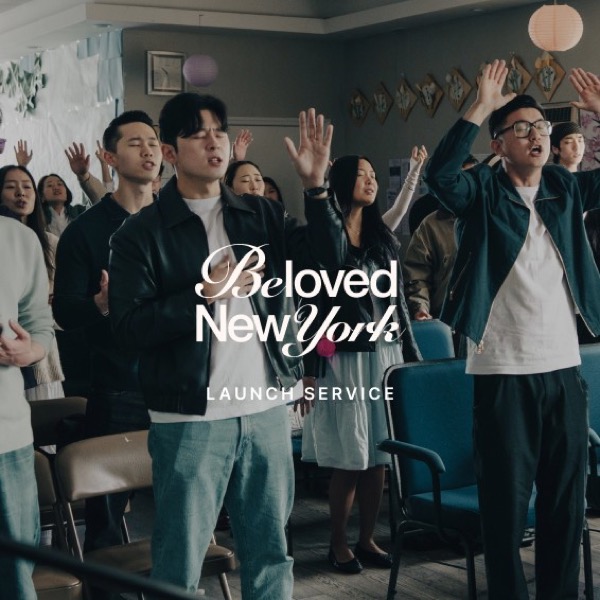

One link for the invitation and the response
Give your event a public page with its cover, date, time, location, and response card. Choose a registration form when you need details, a Going/Maybe/Can't go RSVP for a lighter answer, or no signup when the page is only an announcement. Once the event is published, share its link wherever your church invites people.
Welcome the whole group
For a no-cost event, visitors can sign up without first creating an account. Ask the questions your event needs and, when guests are allowed, choose whether to count plus-ones or collect their details. If someone brings family or friends, see them with the main registration instead of losing the headcount.
Keep capacity and follow-up in one place
Set an attendee limit for a registration event. When a group will not fit, the whole group joins the waiting list together; a leader decides when to let them in. Use the event's Notify area to email the right group, such as confirmed registrants or the waiting list. You can schedule a reminder for a one-time event. For a repeating event, send the reminder when you are ready.
How it works
Create your event
Add the date, place, and details, then choose registration or a simple RSVP.
Publish and share
Give people one public page with the invitation and a clear way to respond.
Welcome and follow up
See responses and guests together, manage any waiting list, then email the right group.
Common questions
Do visitors need a Churchday account?
Not for a no-cost event signup. A visitor can give their details in the event form. Paying by card requires signing in.
Can someone bring guests?
Yes, if you turn on guests for the event. You choose how many each registrant can bring and whether to collect each guest's details.
What happens when an event fills up?
With an attendance limit in Register mode, new parties join a waiting list. A leader admits them when there is room; increasing the limit alone does not move them automatically.
Can I send reminder emails?
Yes. A one-time event can have a scheduled reminder or a send-now email. Repeating events currently use Send now.
Learn more
See how your next event could work in Churchday.
Bring an upcoming event to a demo, and we will walk through the guest experience and the organizer's view.